
A burnt taste usually means your coil is heating dry cotton instead of e-liquid. The top 3 causes: chain vaping without breaks, low e-liquid level, or using Pulse Mode too aggressively. Fix it by waiting 15–30 seconds between puffs, tilting your device to re-saturate the wick, and switching to Regular Mode. If the burnt taste persists after trying all fixes, it's time to replace your Geek Bar.
Why Does Your Geek Bar Taste Burnt?
A burnt taste from your Geek Bar happens when the coil heats the cotton wick instead of vaporizing e-liquid. The coil inside every Geek Bar device reaches temperatures between 200–300°C (392–572°F). When that heat contacts dry cotton instead of saturated wick material, you get that unmistakable charred flavor.
This isn't a Geek Bar-specific problem — it affects all closed pod vaping systems. But knowing why it happens with your specific model helps you fix it faster. Below are the 7 causes ranked by how often they occur, based on real troubleshooting data.
If you're also seeing a flashing red light alongside the burnt taste, that's a battery signal — check our LED guide first.
7 Common Causes of Burnt Taste in Geek Bar Vapes
Taking puff after puff without a break starves the wick. Cotton needs 15–30 seconds to absorb fresh e-liquid after each draw. Without that pause, the coil scorches dry cotton — producing burnt hits and that harsh, acrid taste. This is the #1 cause of burnt taste across all Geek Bar flavors and models.
Every Geek Bar ships pre-filled with a specific amount of vape juice. As you use the device, e-liquid drops below the wick port. The wick can't draw liquid if the tank is nearly empty, so the coil burns cotton instead. Check your device's e-liquid indicator — the Pulse X 25K has a 3D curved screen that shows remaining juice level.
Pulse Mode delivers 30–50% more power to the coil for bigger clouds and stronger flavor. But that extra wattage heats the coil faster than the wick can resaturate. If you're running Pulse Mode continuously, switch to Regular Mode — you'll notice the burnt taste disappear. Check our Pulse settings guide for mode switching instructions.
Extended vaping sessions (20+ minutes continuous) raise the coil temperature beyond its optimal range. An overheated coil doesn't just burn the wick — it can also degrade the e-liquid, producing off-flavors even when the wick is saturated. Let the device rest 3–5 minutes if you've been vaping heavily.
Leaving your Geek Bar in a hot car, direct sunlight, or near heat sources degrades the e-liquid. VG/PG ratios shift, nicotine oxidizes, and the liquid thins out — all of which produce a stale, burnt taste even on first puff. Store your device at room temperature (60–77°F / 15–25°C), upright, in a cool dry spot.
Fake Geek Bars use substandard coils and low-quality e-liquid that taste burnt from the first hit. If your brand-new device tastes burnt immediately, verify the authenticity code on the packaging. The International Trade Administration tracks counterfeit consumer goods — vape devices are among the most counterfeited electronics in the US market.
Rarely, a coil leaves the factory with a defect — misaligned wicking, loose connections, or uneven heating elements. If none of the fixes below work and your device is verified authentic, contact [email protected] for warranty support. The TTB (Alcohol and Tobacco Tax and Trade Bureau) regulates tobacco product manufacturing standards in the US.
How to Fix Burnt Taste on Your Geek Bar — Step by Step
Try these fixes in order. Most users solve the problem at Step 1 or 2.
Put your device down for 30 seconds. This gives the wick time to absorb fresh e-liquid. If you've been chain vaping for several minutes, wait a full 2–3 minutes before your next puff. This single step fixes burnt taste for roughly 60% of users.
Hold your Geek Bar upside down for 10 seconds, then slowly rotate it back upright. This moves e-liquid toward the wick ports, especially when the tank is running low. Repeat 2–3 times. You should notice improved flavor within the next 2–3 puffs.
If you're using Pulse or Super Pulse Mode, switch to Regular Mode immediately. On the Geek Bar Pulse, press the mode button to cycle through modes. Regular Mode uses less power and gives the wick more time to resaturate between draws.
Draw very gently on the mouthpiece without activating the coil (light, short inhale). This creates suction that pulls e-liquid into the wick. Take 3–4 primer puffs, wait 15 seconds, then try a normal draw. This technique works especially well on brand-new devices.
Residue buildup on the mouthpiece can alter flavor. Wipe the mouthpiece with a dry cloth or tissue. If you see dark residue, that's burnt e-liquid condensate — remove it completely. Never use water or cleaning liquids inside the device.
Most 2026 Geek Bar models have a screen or LED indicator showing remaining e-liquid. If your juice level is below 10%, the burnt taste is likely permanent — the wick can't reach the remaining liquid. Time to replace the device.
If you've tried all 6 steps and the burnt taste persists, your coil is likely damaged beyond recovery. Geek Bar devices are closed systems — you can't replace the coil. Recycle the device responsibly and grab a fresh one from the Geek Bar US Store.
Having other issues too? Our Geek Bar not working guide covers blinking lights, auto-firing, airflow problems, and more.


Model-by-Model Burnt Taste Guide
Different Geek Bar models have different e-liquid capacities, coil designs, and mode options. Here's what to check for each model:
| Model | E-Liquid | Puffs | Has Mode Switch? | Burnt Taste Risk | Top Fix |
|---|---|---|---|---|---|
| Pulse 15K | 16 mL | 15,000 | Yes (Regular/Pulse) | ⚠️ High | Switch to Regular Mode + 20s breaks |
| Pulse X 25K | 25 mL | 25,000 | Yes (Regular/Pulse) | ⚠️ Med-High | Use 3D screen to monitor juice level |
| Meloso BAR 30K | 22 mL | 30,000 | No | 🟡 Medium | Tilt device + 15s breaks |
| Skyview 25K | 18 mL | 25,000 | No | 🟡 Medium | Tilt device + 15s breaks |
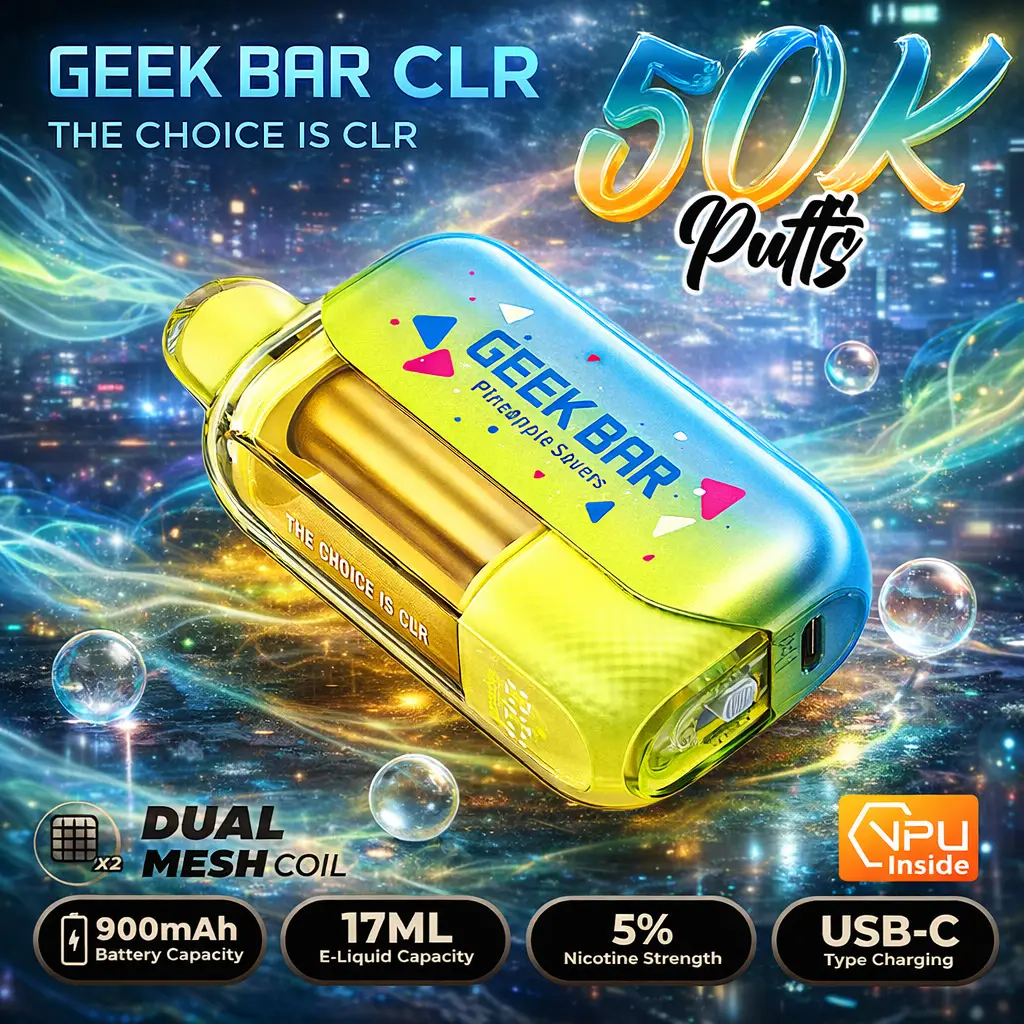
| CLR 50K | 28 mL | 50,000 | No | 🟢 Low-Med | Transparent tank — visually check juice |
| Clio Platinum 50K | 16 mL pods | 50,000 | Yes (3 modes) | 🟢 Low | Swap pod when flavor drops |
| Slimor 32K | 20 mL | 32,000 | No | 🟡 Medium | Digital screen shows juice level |
| Lush 20K | 18 mL | 20,000 | No | 🟡 Medium | Tilt device + 15s breaks |
Geek Bar Pulse 15K & Pulse X 25K
These dual-mode devices are the most likely to produce burnt hits because of Pulse Mode. Pulse Mode pushes significantly more power to the coil, vaporizing e-liquid faster than the wick can absorb. If your Geek Bar Pulse or Pulse X tastes burnt, your first move should always be switching to Regular Mode. Also check the HD/3D screen — if the juice indicator is below 15%, the burnt taste will persist regardless of mode.
Geek Bar CLR 50K
The CLR 50K's transparent tank is a major advantage for avoiding burnt hits — you can literally see the e-liquid level. If you notice the liquid sitting below the wick window, tilt the device. The CLR 50K has a larger 28 mL tank, so burnt taste is less common. When it does happen, it's usually caused by chain vaping in cold weather (thick e-liquid flows slower).
Geek Bar Clio Platinum 50K
The Clio is a modular pod system — the only Geek Bar where you can solve burnt taste by swapping pods. If your pod tastes burnt, pop it off and replace it with a fresh one. Each pod holds 16 mL. The Clio also has 3 modes (Regular, Pulse, Super Pulse), so start with Regular Mode if burnt taste appears. Read our full Clio Platinum review for mode details.
How to Prevent Burnt Hits on Any Geek Bar
Preventing burnt hits is easier than fixing them. Follow these 5 rules:
- Pace your puffs. The 15–30 second rule isn't just a suggestion — it's how long cotton physically needs to reabsorb liquid. Set a mental timer or count to 15 between draws.
- Default to Regular Mode. Save Pulse and Super Pulse for short bursts when you want maximum flavor. Running Pulse Mode all day wears out coils 2–3× faster.
- Store your device upright at room temperature. Gravity keeps e-liquid near the wick ports. Cold temperatures thicken the liquid (harder to wick). Heat degrades nicotine and flavorings.
- Monitor your e-liquid level. Don't wait for the burnt taste to tell you the tank is low. Check the screen or transparent tank daily. When you hit 15% remaining, expect flavor degradation.
- Buy authentic devices only. Shop from verified US retailers like Geek Bar US Store. Every authentic Geek Bar has a scratch-and-verify authenticity code on the box. If the code doesn't check out, return the device immediately.
Proper charging also prevents burnt taste. Overcharging degrades battery cells, which can cause voltage spikes that overheat the coil. Read our charging guide for model-specific instructions.
When Should You Replace Your Geek Bar?
Not every burnt taste is fixable. Here's how to tell when it's time for a new device:
| Symptom | Fixable? | Action |
|---|---|---|
| Burnt taste after chain vaping | ✅ Yes | Wait 2–3 min, switch to Regular Mode |
| Burnt taste on a brand-new device | ✅ Usually | Let it sit upright 5 min, take primer puffs |
| Burnt taste + juice indicator below 10% | ❌ No | Replace the device |
| Persistent burnt taste after all fixes | ❌ No | Likely defective — replace or contact support |
| Burnt taste + flashing red light | ❌ No | Battery depleted — replace the device |
| Burnt chemical smell (not just taste) | ❌ No | Stop using immediately — may be counterfeit |
Ready for a fresh Geek Bar?
Browse 128+ flavors across all models. Free US shipping on orders over $80.
Frequently Asked Questions
Inhaling burnt vapor is harsh on your throat and lungs. When the coil scorches dry cotton, it releases degraded compounds that aren't present in normal vapor. While a single burnt hit won't cause serious harm, repeated burnt hits should be avoided. If your device consistently tastes burnt after trying the fixes above, stop using it and replace it with a fresh device.
A brand-new device that tastes burnt usually has an unsaturated wick. The cotton hasn't fully absorbed the e-liquid yet — especially if the device was stored on its side during shipping. Fix: Stand the device upright for 5 minutes, then take 3–4 gentle primer puffs before your first real draw. If it still tastes burnt from the very first puff, verify the authenticity code — it could be a counterfeit.
You can't physically replace or repair the coil in a Geek Bar — all models except the Clio Platinum are closed, single-use systems. However, if the coil is just dry (not permanently damaged), re-saturating the wick by tilting the device and waiting 30+ seconds often restores flavor. A truly burnt coil — where the cotton is charred — cannot be fixed. The Clio Platinum 50K is the only Geek Bar where you can swap to a fresh pod to solve the problem.
Yes — Pulse Mode delivers 30–50% more power to the coil, which heats the e-liquid faster than the wick can resaturate. Using Pulse Mode continuously is the single fastest way to get burnt hits. Use Pulse Mode in short bursts (2–3 puffs max), then switch back to Regular Mode. This gives the wick time to catch up and prevents the coil from overheating.
Overcharging can cause the battery to deliver slightly higher voltage than normal, which overheats the coil. Additionally, heat generated during charging can warm the e-liquid and thin it out, making it flow away from the wick. Fix: Unplug as soon as the LED shows full charge, let the device cool for 2 minutes before vaping, and never charge with a fast-charge adapter — use a standard 5V USB-C source. See our Geek Bar charging guide for proper technique.
Wait 15–30 seconds between draws for Regular Mode, and 30–45 seconds between draws for Pulse Mode. If you're using the Clio Platinum's Super Pulse Mode, wait at least 45 seconds. These intervals give the cotton wick enough time to fully absorb e-liquid. Vaping faster than these intervals is the #1 cause of dry hits and burnt taste across all Geek Bar models.